Yealink MeetingBar A10u Announcement
Yealink announced the MeetingBar A10u. The bar form factor combines camera, speaker, and microphone for small and medium meeting rooms.
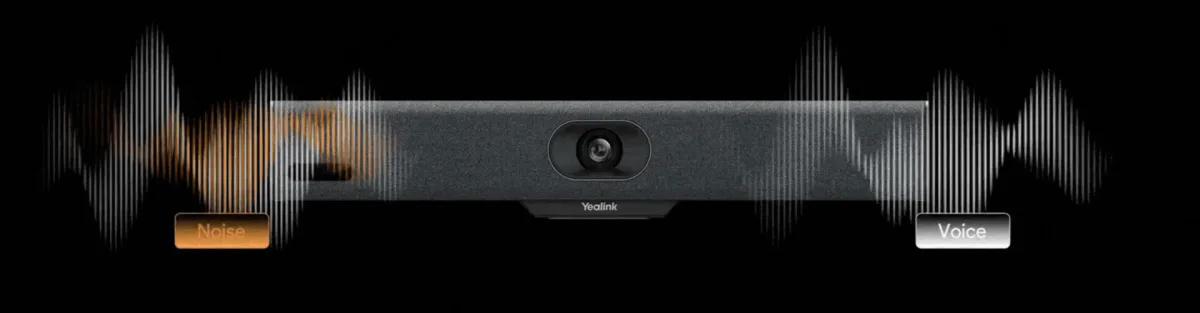
Yealink announced the MeetingBar A10u. The all-in-one video bar targets small and medium meeting rooms with a single bar form factor instead of separate USB camera, speakerphone, and microphone array. This article is a launch summary; current firmware, UC certification (Teams / Zoom, etc.), regional stock, and pricing depend on manufacturer or channel notes. Choose based on room size, acoustics, certification matrix, and manageability—not a «global leader» claim.
The meeting bar category grew as hybrid work drove more huddle rooms. The goal is a consistent «mount on the display, connect to the network, open from the calendar» experience without a full AV integrator project per room. The A10u sits in this class; it does not replace PTZ camera plus separate speaker / DSP for large auditoriums or 20+ seat spaces.
Which room and UC scenarios fit MeetingBar A10u?
The right match starts with room and platform decisions before the device spec sheet. Before choosing a bar, clarify headcount, display size, UC client, and BYOD needs.
Room size and form factor
- Huddle / 4–8 person small meeting rooms are the primary fit
- A bar may suffice in a medium room; whether ceiling mics or extra speakers are needed is determined by acoustic measurement
- In wide halls and training rooms a bar alone may be insufficient
- Mount (above display / wall), HDMI/USB path, and cable concealment are planned during site survey
Teams, Zoom, and BYOD
Enterprise buying needs more than «we have a bar»; document which platforms it runs on natively or with certification. Microsoft Teams Rooms, Zoom Rooms, and simple BYOD (laptop HDMI/USB) need different licenses and account models. If you plan a Microsoft Teams room, account type, peripheral policy, and management console (e.g. Yealink management / MDM) belong on the same survey form. Features can open or close when certification or firmware changes; use the matrix dated at quote time.
Network, QoS, and audio quality
Do not deploy a video bar assuming it will «somehow» join office Wi‑Fi. Prefer wired PoE or stable Ethernet, QoS for voice/video, and voice/video VLAN separation when possible. Jitter and packet loss hurt speech intelligibility before facial expression. Room acoustics (glass walls, hard floors, HVAC noise) are independent of the bar’s mic array; add acoustic panels or adjust seating if needed. Large displays are chosen independently—a weak bar with an 85" screen or a strong bar with a small screen can both skew the balance.
Management and selection note
Multi-room offices need device inventory, firmware policy, and remote reboot. Admin accounts, password standards, and guest network isolation belong on the security checklist. Staying in the same vendor ecosystem as desk IP phones can simplify support; it is not mandatory. A separate camera + speakerphone stack may still be right for broadcast studios or large rooms.
Summary: the MeetingBar A10u announcement adds another option in the all-in-one bar class. Buying decisions should rest on room size, UC certification, network quality, and mount plan—not a single spec line or marketing slogan. Survey should cover display, cabling, account model, and at least one pilot room. If room bars share a project with PBX / UC backbone, document integration limits (calendar, directory, call transfer) up front.
Related Posts


